If we’re doing workspaces…
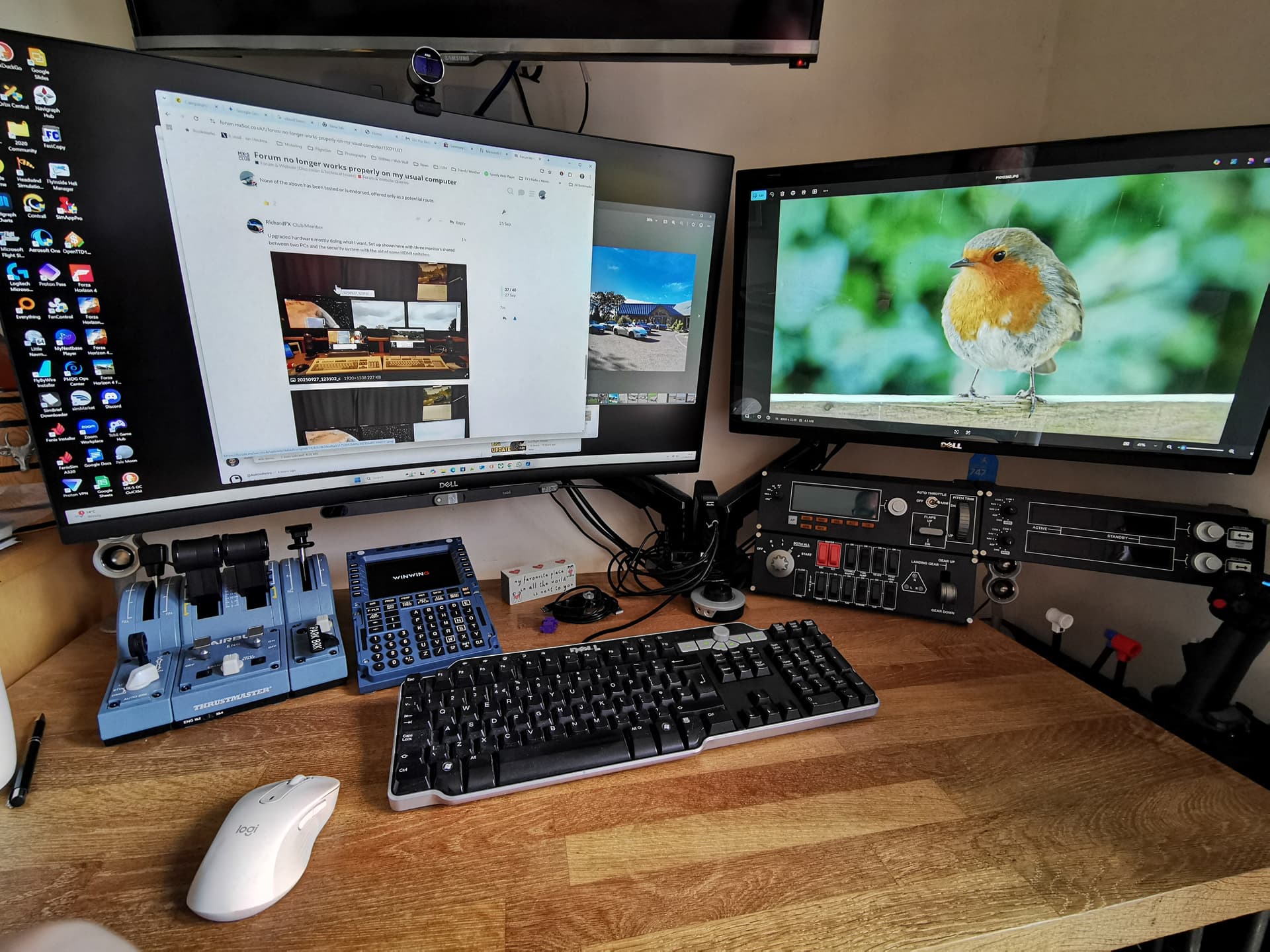
5 Likes

Ian H & Richard FX
Impressive Workspaces…Wow oh wow 
No wonder you were both able to advise me recently on different issues relating to the MX-5 and Site issues 
[Here with a single laptop and a single smart phone  ]
]
When I joined in 2018 it didn’t cross my mind the wealth of knowledge that would be available to me beyond the MX-5…it’s been eye opening
Just to say thanks …
1 Like
The eagle eyed viewers of my previous post above might possibly have noticed the left computer, when in three display mode, did not quite line up images correctly between the three monitors.
This annoyed OCD engineer me.
It was because both the W11P user interface routes for Settings/Display had been broken by an update from M$.
The actual Intel screen function has always worked perfectly in all respects, with the positioning slightly off as I had hurriedly plonked them to check it worked, BEFORE applying the W11P August update a few days later.
I spent several odd hours in the last week searching Dell forums (and diving into the useless boggle AI rabbit holes) to find a solution, and all agree on the update problem, and also for most the Sept update fails to fix it.
But no reliable cure or workaround was suggested.
It doesn’t help that the W11P user interface shell says some “Installed apps” including a couple of the Intel HD Graphics files have a size of 0 bytes! Clearly it is lying because all the Intel bits are still working correctly, so the hardware is not broken.
But then I had a dream; this morning my much smarter subconscious prompted me to talk to the Organ Grinder (Intel) and not the amnesiac W11P monkey.
Sure enough, if one clicks W11 start button, then clicks the tiny “All” in the new pane’s top right-hand corner to call up the old W10 Start button program list (bypassing the “helpful” W11 shell) there is the “Intel Graphics Command Centre” program as usual.
Open that and all we need to know or can do with the displays is revealed, including allowing relative screen positions to be fine tuned to pixel accuracy by the keyboard’s up/down/left/right arrow keys as well as drag with the mouse.
It also showed one monitor was being fed an overscan of the correct image, and shrinking that to 94% allowed a pixel perfect fit between screens so I could see an arrowhead dot leave one monitor and immediately appear on the adjoining one.
OCD assuaged for now. Happy.

I might begin using this machine more now, as my favourite email client is also working reliably on it. Migration of contact methods with the outside world is proceeding slowly.
On a side note, the W7P machine is consistently one second quicker to reach the windows login from cold boot, I guess it has less OS baggage to load.
2 Likes
I guess that sub can supply the genuine Top-Fuel Sprinter punch-in-the-heart feeling.

1 Like
Yes it’s pretty punchy! 
I wonder how many forum and club members actually haven’t logged on since the ‘update’, as it simply won’t let you log on with an older computer. Some of course I presume wouldn’t bother perusing it if they find themselves froze out, if they don’t post or use the membership much, and maybe will just forget about it.