Well done and the Kenwoods are good. 
1 Like
So which wires did you have to splice in to for power?
I ran an extension (male/female ends) from the USB fly lead coming from the head unit and under the centre console terminating in the centre console cubby, see pic.
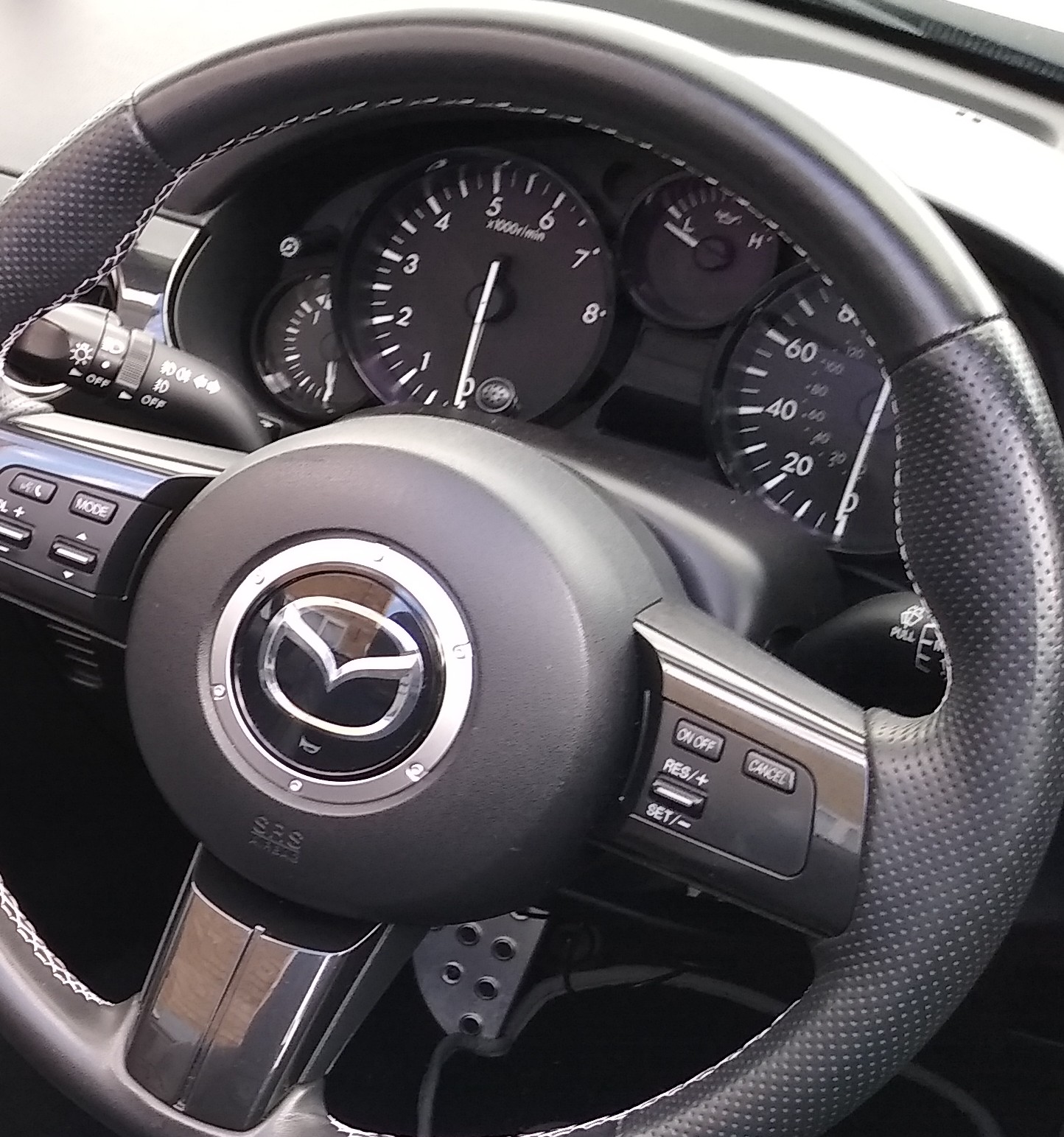
The dab aerial cable runs up the offside A pillar to a stick on screen type aerial. The microphone best position is on the top of the steering column shroud, it sits discreetly between the two large gauges. If you put it any higher like on the A pillar or sun visor you tend to get wind noise when top down. Pic, mic just showing to the right of the rev gauge pointer stuck on the shroud.

Soldered the open remote amp lead into the aerial power output which did the job.
That’s my thinking on accessory placement - where are the best places to run the cable into the head unit? Under the centre console/footwell trim perhaps? Or is the way into the back of the dash that doesn’t involve dismantling most of it? I’ll likely run the USB under the centre console and into the cubby.
My usb cable came out under the heater/aircon control panel then under the centre console, down the handbrake side.
The dab aerial cable out the side of the centre part of the dash and threaded under the dash to the A pillar cover. Probably don’t even need to remove any trim, just the pull off plastic panel under the dash/steering column to thread through.
I bought this cable, choose the length…
rhinocables USB 2.0 Extension Cable A to A Extender Lead — Male Plug to Female Socket for Extending Connection to Peripherals, Printers, Cameras, Mice, Keyboards — 0.25m / 25cm (Black) https://amzn.eu/d/2luLjj8
If you don’t need the 12v power socket - replace it with one of these and plug the cables in to the head unit.
OP wants to connect to the USB fly lead from the head unit to phone. That gives Carplay and Android Auto to the unit.
Correct - that is exactly what that will do.
Lets him plug a pair of surface mounted usb ports in to the female fly leads on the head unit.
Then you have fixed position usb ports rather than leads hanging around.
1 Like
There is a company called DAB on wheels, they provide an amplifier (there are several to choose from) which uses the feed from your existing aerial, you will obviuosly have to power the amplifier from the Accessory feed wire, this saves the hassle of having an an additional aerial stuck onto you windscreen.
Just a thought on the Light Green “Park Brake” wire. This wire has to be earthed for the video screen to function in mirroring mode. The design intent is for it to be earthed via the hand brake switch so that the video only works when the handbrake is on, it is Google/Kenwood’s way of avoiding liability if you are watching the screen instead of the road while moving. If you earth that wire somewhere else, you don’t need the handbrake on.
From reading this, I’m glad I don’t have a BOSE system on my NBFL, as the connections seem to add to the complexity of things and it was complex enough changing to a Kenwood DMX-125, and then to an ESSGOO X5 DAB because the DMX125 was a pain without a volume control knob or steering wheel controls. Glad you got it sorted.
1 Like
Off topic slightly but - How are you finding the ESSGOO X5 DAB unit ?
Its ok, and very good considering it cost half the price of the DMX125 and has a volume control knob, rather than updown arrows - if you have steering wheel controls the DMX125 is better because it interfaces with CANBUS, the ESGOO X5 seems to rely on programming a multi-way switch and its not clear whether that is CANBUS. I only managed to get volume up to work on an aftermarket stalk!
I bought it mainly because of the volume control knob and because it has DAB+ (there are a lot of Chinese Android units with DAB+). Connecting it was similar to the DMX125, although I had to ask the supplier for the pin out information because the tiny installation manual supplied was unclear. The installation is a bit of a pain because the casing of the unit is not designed for a 2-DIN cage. I had to buy a suitable cage and tape the location brackets to the sides of the casing and to pull it out requires gentle levering with the removal tools. On first use there was a puff of smoke from the unit, a bit alarming but I assume it was heat sink grease burning off because the unit worked ok. The DAB signal handling was a bit worse that the DMX125, it would not receive Jazz FM. To be fair, Jazz FM reception is patchy even on my 2021 Range Rover Evoque. An in-line aerial amplifier from e-Bay made reception as good as the Evoque. Sound quality is on a par with the Kenwood, which was a big step up from the NBFL OEM unit. In an MX5 with the hood down there is plenty of other noise so I’m not going to say it would be as good in a listening room, but they both use MOSFET amplifier circuits with the same output and I suspect the components are from the same suppliers.
The screen display of stored DAB stations has tiny gaps betwen each station which means they are a bit difficult to select on the move. Android Mirroring worked ok with Android 11 but I haven’t made it work with the Android 12 on my new TCL 306 phone, although I’m still working through the connection process options. Bluetooth connection is a bit hit and miss for phoning, but it does work and I have put the microphone on the header rail which doesn’t help sound quality on calls. I’m guessing because of noise cancellation - I might try moving it to the on top of the steering column. I had a standalone Jabra Bluetooth unit before and the X5 is less of a faff.
Playing music from a Micro SD card works ok, but the directory system display can get confused if you want to select something rather than just let it play the next track. Similarly music over Bluetooth, which is required with mirroring, can take a few goes to get it to work.
To sum up, if you are prepared for a bit of work on the installation cage, The X5 unit is fine for FM and DAB plus music off a SD card/USB stick, but phone and mirroring are more tricky. Comparing it to my OEM radio which only did FM/AM and had a defunct 6-CD changer, it is a big improvement so I’m happy. There appears to be an improved model under another brand, but fitting looks similar i.e. not DIN cage compatible. If you are interested in this type of unit, I can provide details of the adaptor harness to avoid cutting the car harness, the cage and aerial amplifier.
If this sounds like more work that you are prepared for, the the Kenwood DMX8190 discussed in this thread looks good as it has a volume control knob…but it is over 3 times the price.
Cheers.
No issues with the wiring, fitting or setup work - the MX5 is like a hobby as well as a nice car,
I have been looking at one of their higher up the range units so it has pre-outs for the bose amp.
It also gets you wireless android auto / apple carplay.
And will use the steering wheel controls ( so not bothered about the rotary volume )
I fitted the Kenwood DMX8019DABS.
Superseded now by the DMX8020DABS.
Great unit and wireless connection is a must and worth paying the extra for.
(In my opinion of course).
As they say, you get what you pay for.
Hope it all works for you. A couple of points to consider if you haven’t already:
- If it doesn’t come with a cage check the dimensions you require before buying as a lot of Chinese “Double-DIN” size cages are not true double DIN and may not fit the aperture in the centre console. I bought a cage with a suitably sized “picture frame” bezel as the ESSGOO X5 did not have either item. I had to use duct tape to secure the fixing clips to the casing of the ICE unit (because the screws protruded too much), and ensure that the clips were aligned with the recesses in the cage when the unit was flush with the console, and leaving the spring ends of the clips free to engage with the recesses in the frame.
- Also check whether the steering wheel controls will work with this unit. I don’t know if the ESSGOO unit accepts CANBUS signals and I haven’t been able to find anything on-line that confirms it.
- Finally one of the adverts says this type of unit only mirrors with up to Android 10, I don’t have any knowledge about which version of Apple OS works.
It would be interesting to have a post of how you get on!