- My model of MX-5 is: NC 3.5
- I’m based near:
- I’m looking for technical help or recommendations on:
I’ve bought a used Kenwood DPX 7100 DAB and have it powered up in the car, but I would appreciate clarification of wiring it to the amp so I can hear it.
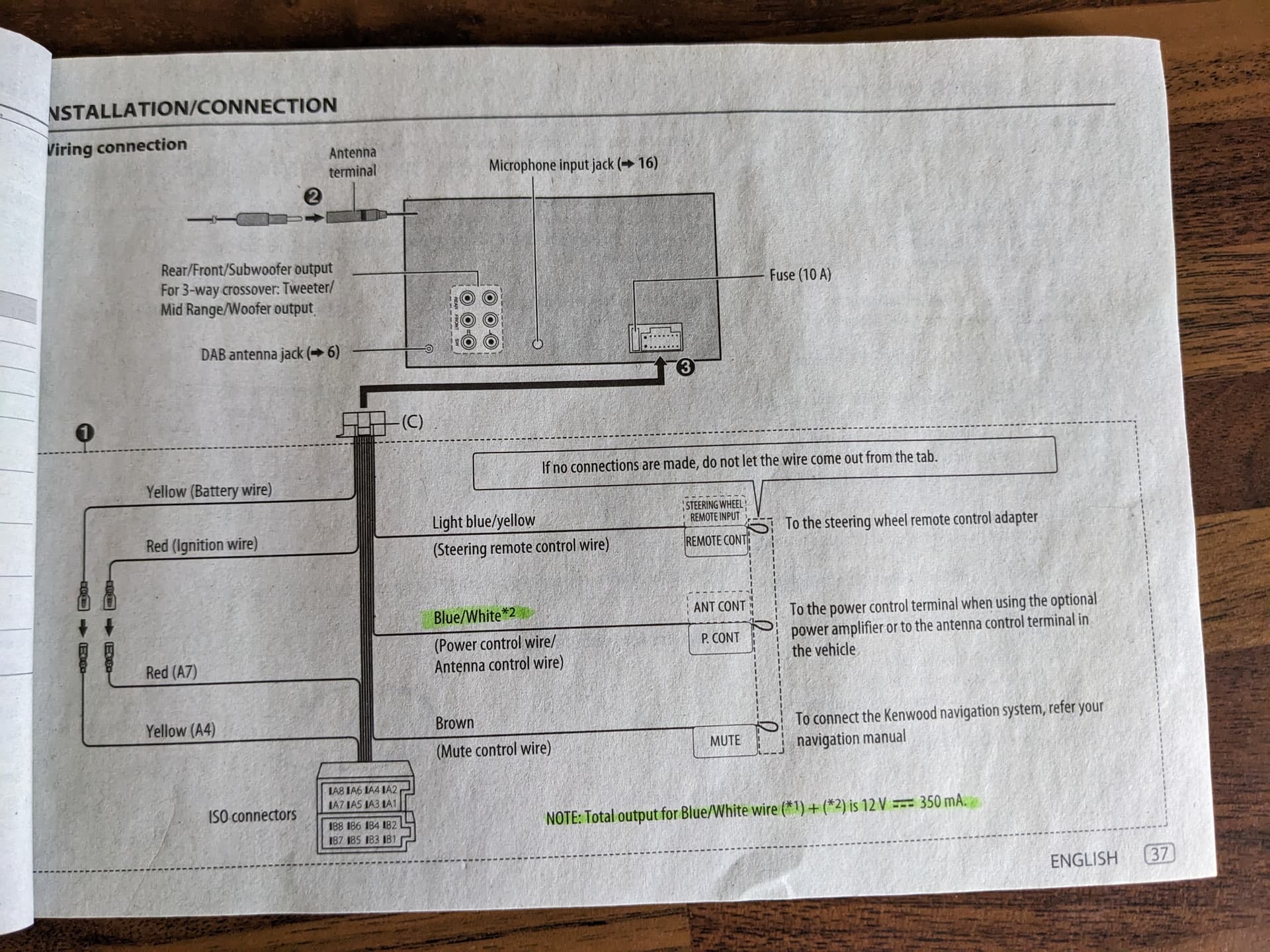
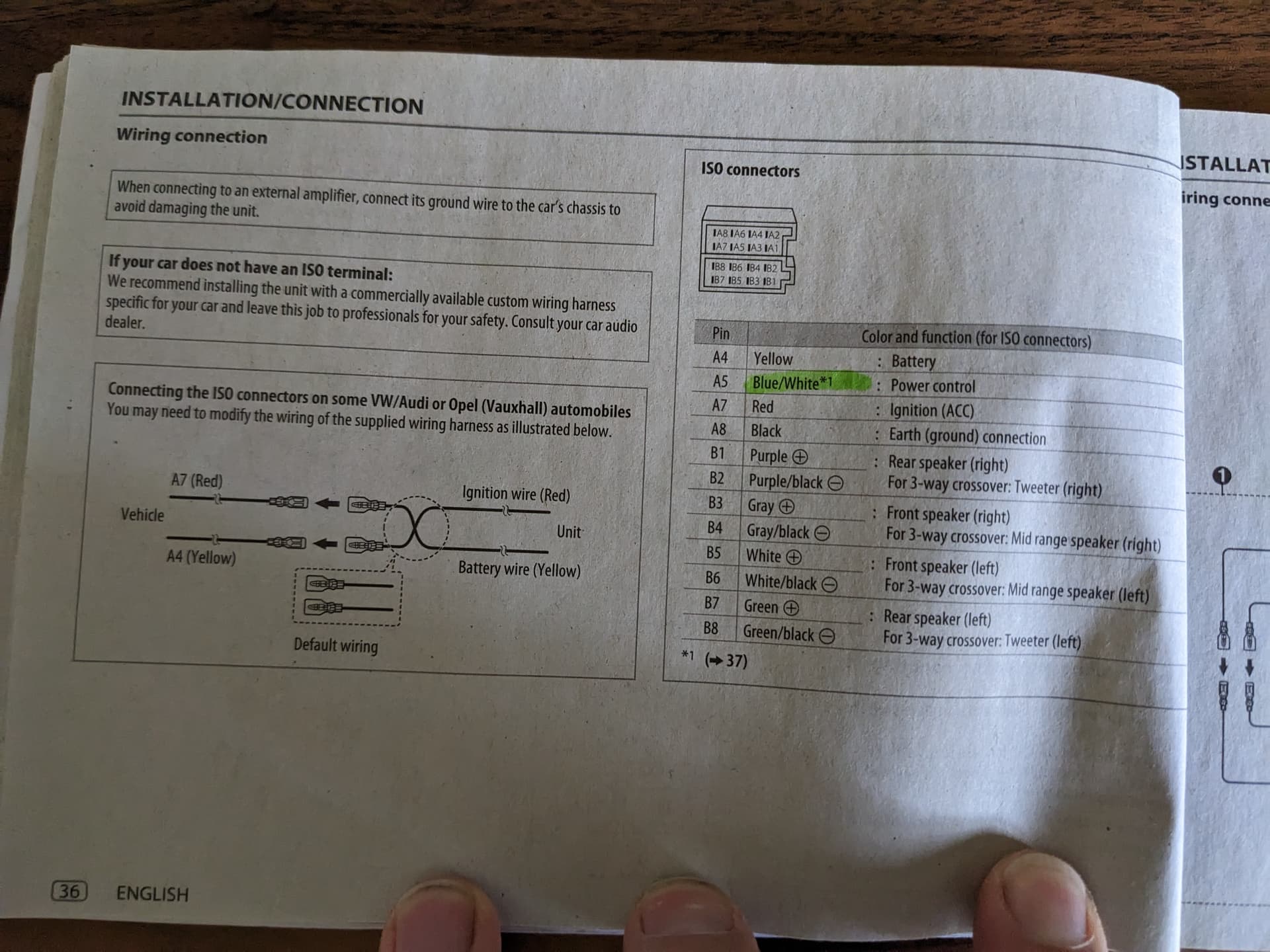
My understanding is that I can power the amp from the HU by connecting a blue/white cable coming out of the HU to the amp.
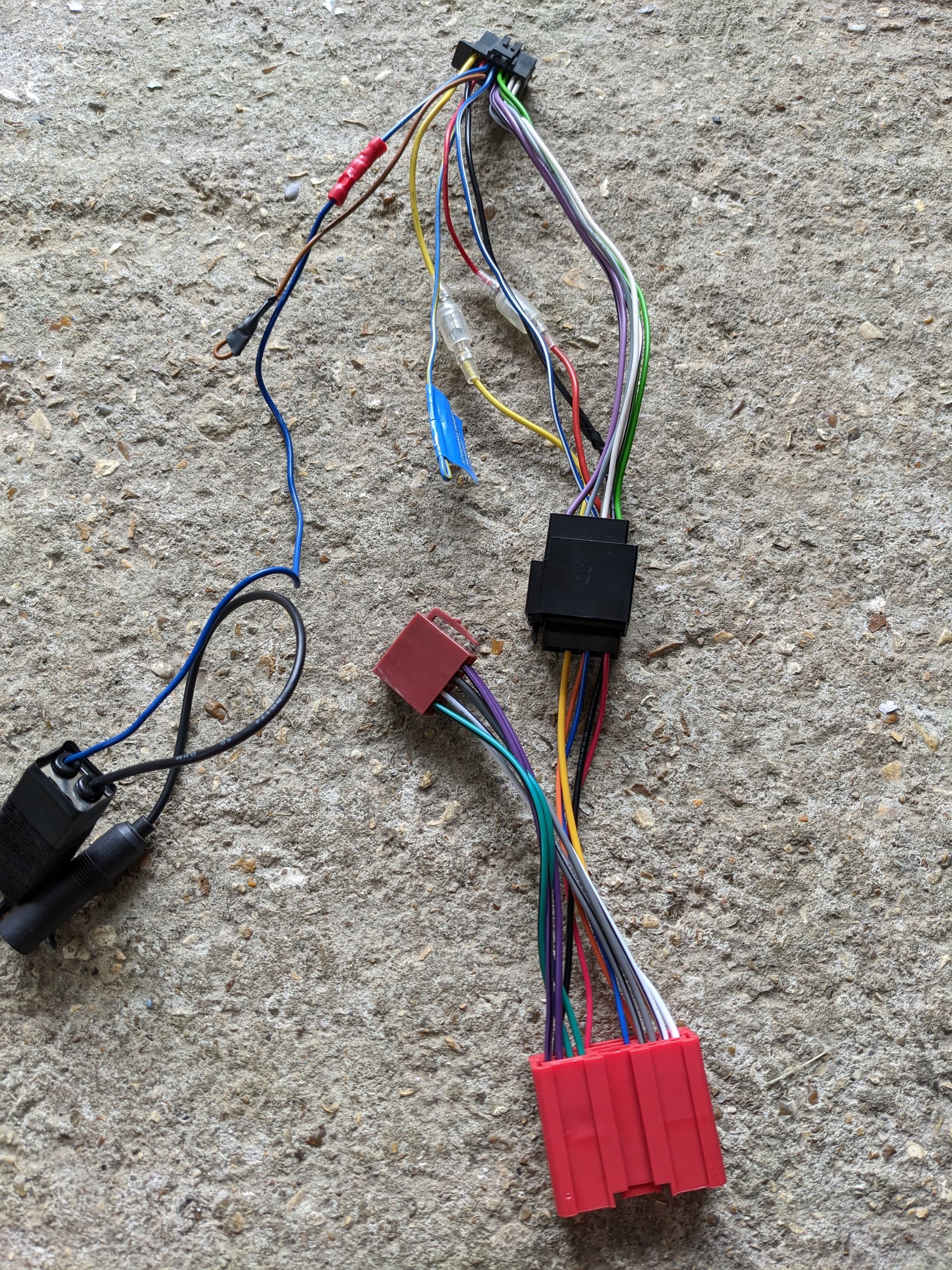
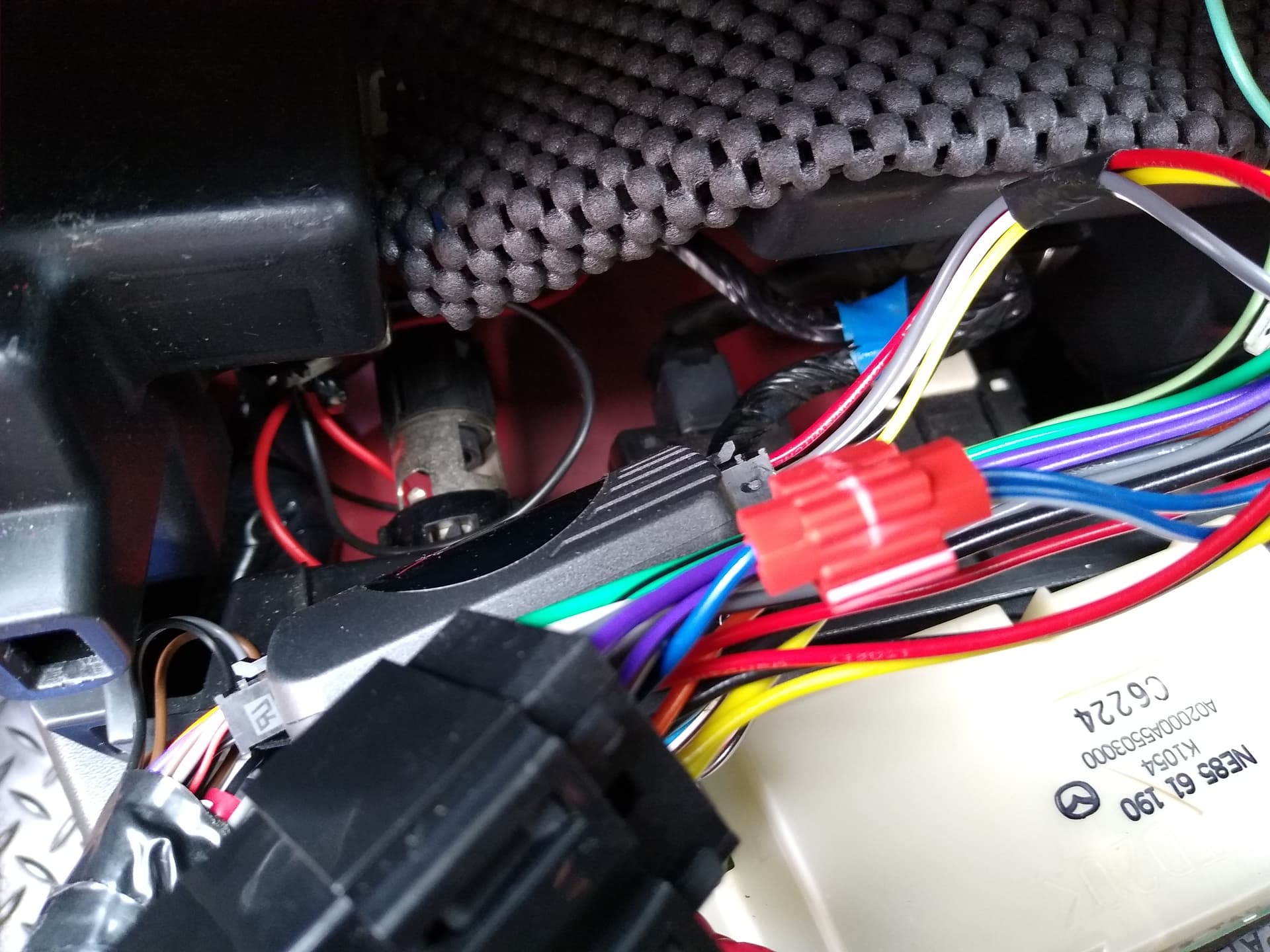
There are 2 blue/white cables coming out - one came connected to the ariel splitter and the other goes to the ISO connector. See photo.
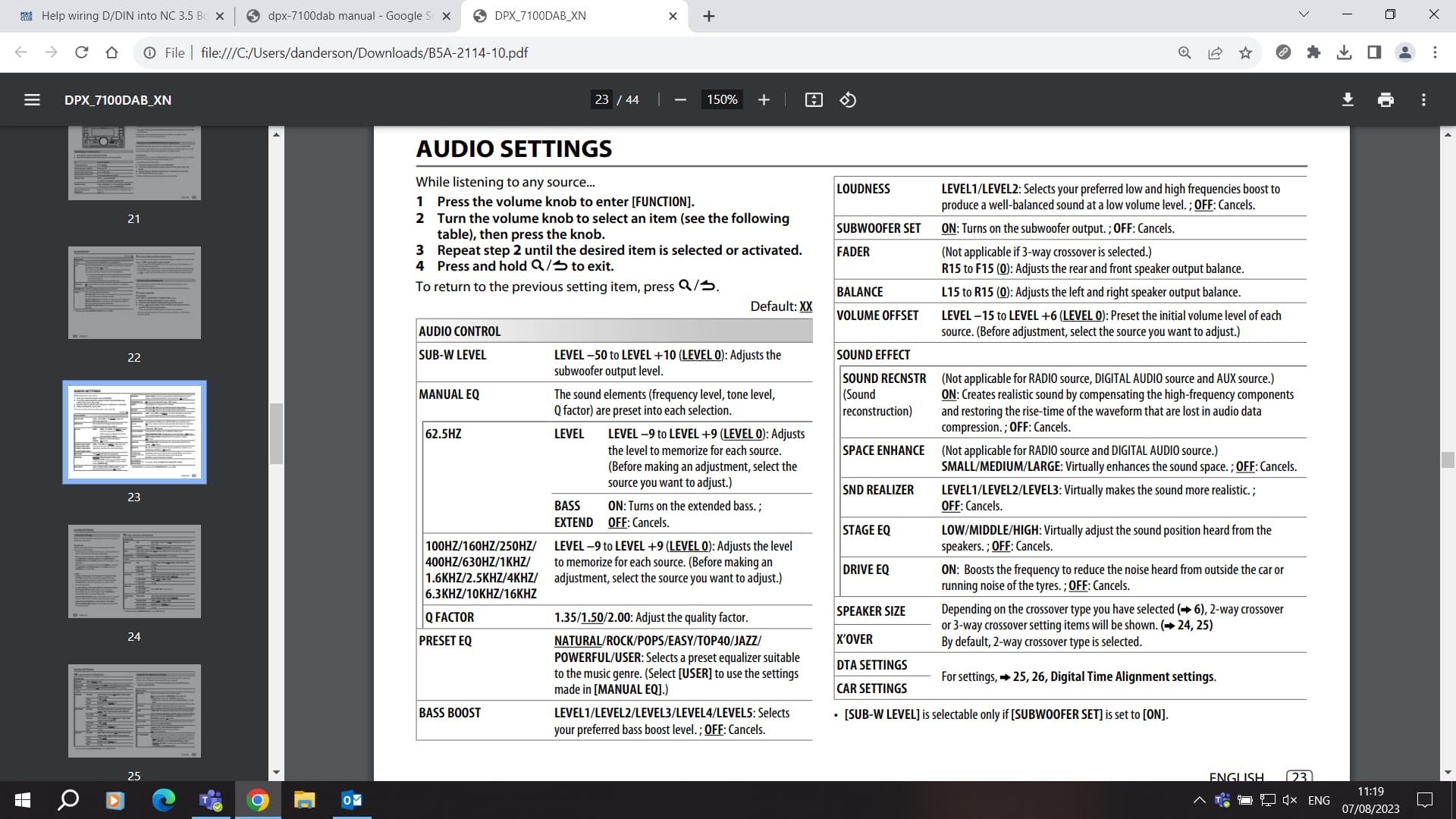
In the handbook (see photos) you will see the output of BOTH wires will be 12V in total. Will this affect the operation of the splitter or amp?
Do I use the unused wire and if so which wire do I connect it to?
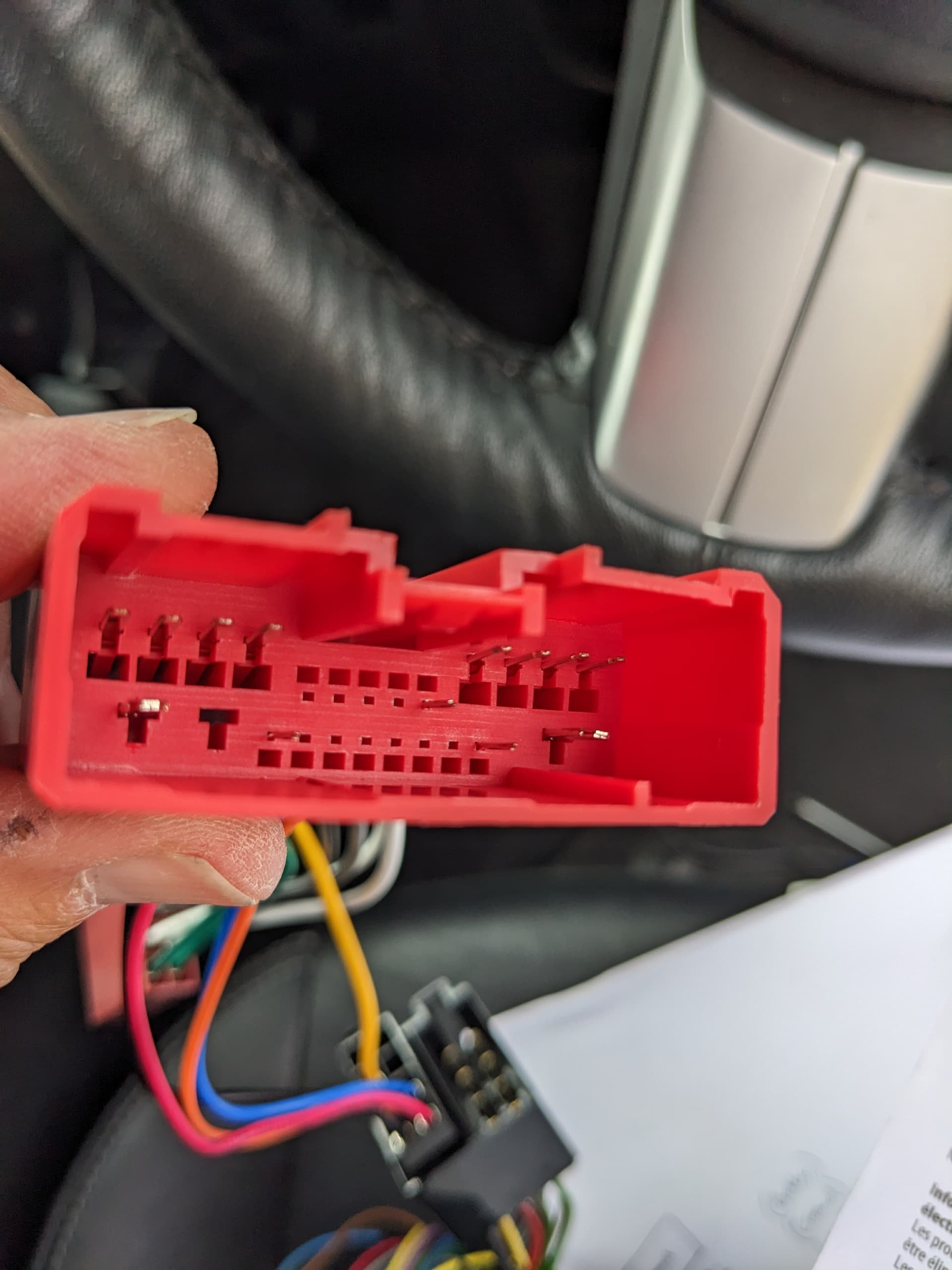
I’m hoping to use the line out sockets (room permitting) and connecting to the speakers by chopping of the brown connector in the photo. Would I use just the top 4 sockets?
At this stage I wasn’t going to get an adapter to connect up the steering controls.
I’m not sure if the aerial splitter is for passive or powered aerials. I found DAB signals were found using the the splitter regardless of whether the power lead at the aerial was connected or not, but more were found with it connected. Obviously until I can hear the stations I can’t decide which is best.
Thanks, I had read that one, and have seen elsewhere that another pin is required for the Metra connector, but as that post was for an NC2 didn’t know if it was specific to them.
I’m a bit hesitant to follow this because I don’t have a single blue wire coming from the HU, but 2 delivering 12V in total, with one already in use ( I can use a multimeter to see what is being drawn to the splitter).
Just done an NC1 - this may help.
The speaker connections shown are pre-out line level from a BOSE head unit.
You need the resistor pack or pre-outs from your head unit to feed these.
I would try splicing that blue/white wire (currently connected to the antenna splitter) to the blue wire in the ISO lead.
Wouldn’t bother with the antenna splitter, connect the cars aerial to the connection on the HU then get a DAB aerial (stuck on the windscreen) and connect that to the HU.
My stick on DAB aerial works fine.
Found my installation picture, not very good but shows I connected blue/white to blue cable. My car NC3.75 with Bose.
1 Like
I’ve read the post MickAP linked to and think I have the same issue as the OP, namely no pin in 1J, which you suggested another cable taken from a new Metra adapter would resolve. Would this be correct?
If I do that will I get sound using the ISO connection?
I want to use the line out sockets. Is it just the door speakers to connect to (top and bottom pair of the six sockets)?
The mazda connector works in one of two ways.
BOSE systems send line out ( pre-out ) signal through those speaker pins to feed the amp in the back.
NON BOSE systems send hi level speaker signal through those pins directly to the speakers.
On my install ( Bose ) - I removed the pins from the ISO block and soldered phono sockets on to them.
As an alternative you could use a resistor pack that has the iso blocks on it ( connects 2 )
On my mates car ( NON Bose ) - we just plugged the iso blocks in and it worked.
And - YES - powering pin 1J will switch on the amp
Thank you again for your help👍
I’ve ordered another cable set.
Could you also help with the line-outs sockets to use? Looking at the back of the HU, I think it’s the top 4 to use (top pair Tweeter, middle pair mids?) - are they L & R as you look at them?
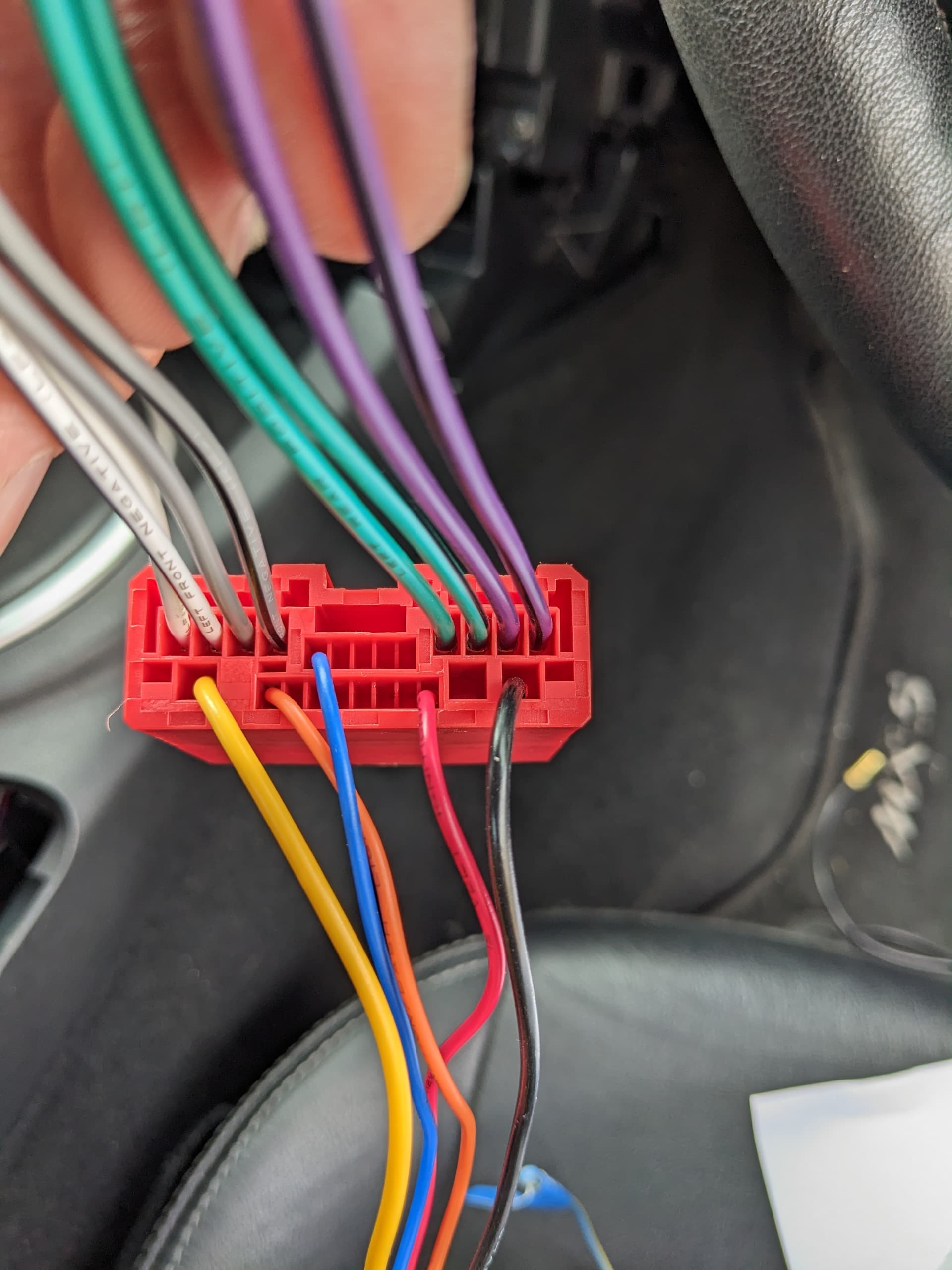
Which colour wire goes where? I think it’s grey & white L, purple & green R, but can’t work out the tweeters and mids.
The line out is not split between tweeter and mid/sub - you just feed line level to the amp.
All the crossover functions are done in the amp or at the speakers.
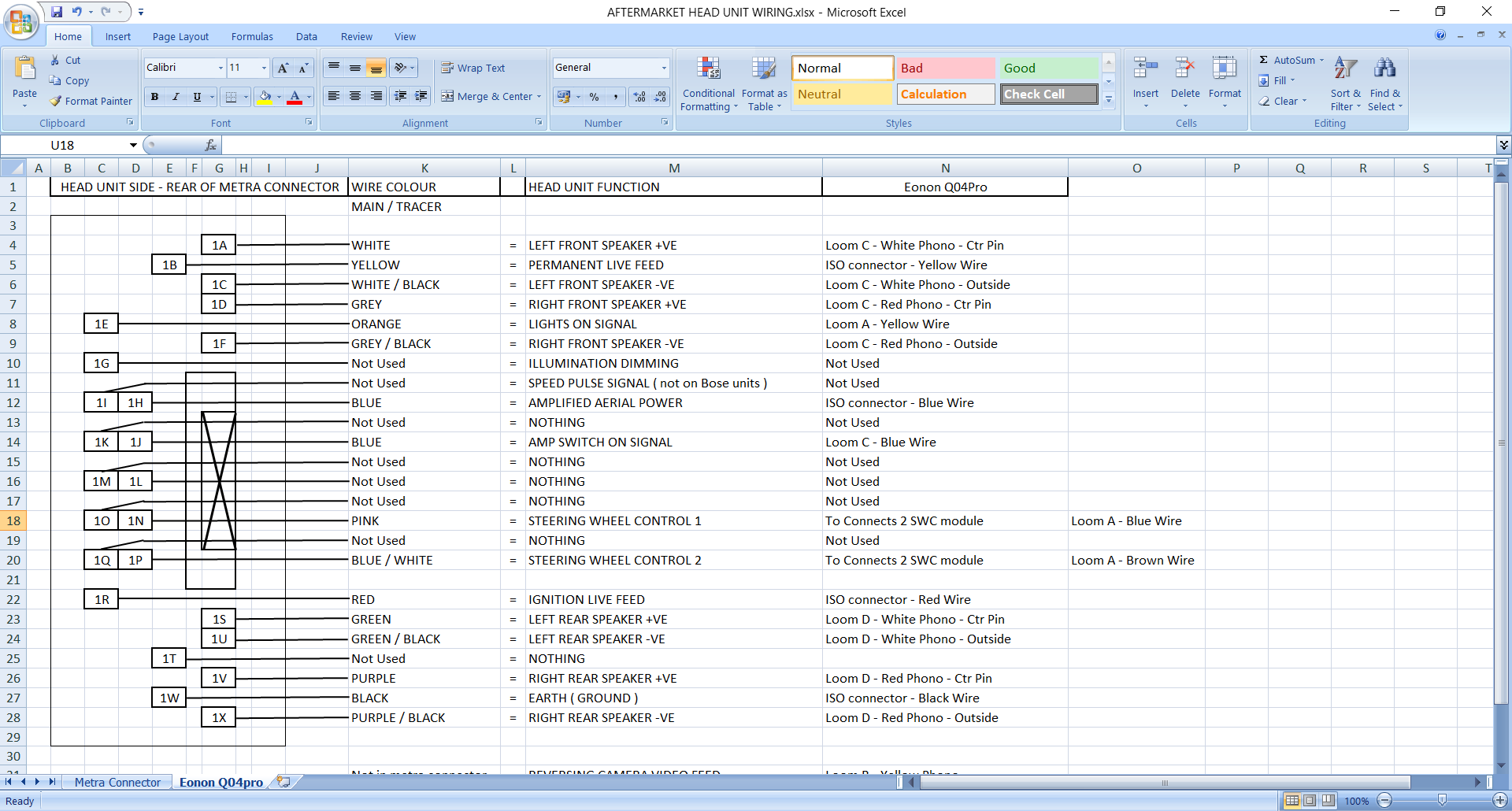
As the table I posted above -
white = left front speaker +ve ( middle pin of phono )
white/black = left front speaker -ve ( outer shroud of phono )
Grey = right front speaker +ve ( middle pin of phono )
Grey/black = right front speaker -ve ( outer shroud of phono )
Green = left rear speaker +ve ( middle pin of phono )
Green/black = left rear speaker -ve ( outer shroud of phono )
Purple = right rear speaker +ve ( middle pin of phono )
Purple/black = right rear speaker -ve ( outer shroud of phono )
These are the phono plugs I used
1 Like
Just had a look at the instructions for your head unit Kenwood DPX 7100 DAB
On page 24 you need to set the xover function to NONE so it sends normal feed to the pre-outs
Then your phono plugs go in to :
Rear right speaker = top left on head unit
Rear left speaker = top right on head unit
Front right speaker = middle left on head unit
Front left speaker = middle right on head unit
Bottom two outputs on head unit are not used.
1 Like
Thanks again for your help Dean, much appreciated.
Probably will find I need to sort out an aerial next to get DAB!
I’ve got it working and I’m happy with the sound.
Where you referred to selecting “none” was that for the speaker sizes?
From page 6 you can only select either 2 or 3-way crossover type - I think it defaulted to 2 way, which is what I’m using it on.
I’ve never had an amp in a car, so the sub menus to make selections in for one is a new experience.
Just re looked at the manual - page 23
If you set the sub woofer to OFF - it will feed full signal to the speakers.
If you set the sub woofer to ON - the 2 way / 3 way x-over is active.
As you are not running a separate sub woofer - you want the sub woofer set to OFF
1 Like
Thank you Dean, it’s now set correctly.
Do I need to set up the speaker sizes now as shown on page 24, and what should they be?
Any other “must have” settings?
No further setting up to do now.
The system only needs to know speaker sizes when using the internal crossover.
You are now sending full range signal via the amp to the speakers.
Any sound adjustment you require is in the head unit ( bass, mid, treble or via an equalizer )
Personally - I would just get used to the sound of the new head unit.
Once you have listened to tracks you know and like - then have a play with sound settings to suit your ear ( if required )
1 Like
Thank you Dean, you’ve been really helpful.