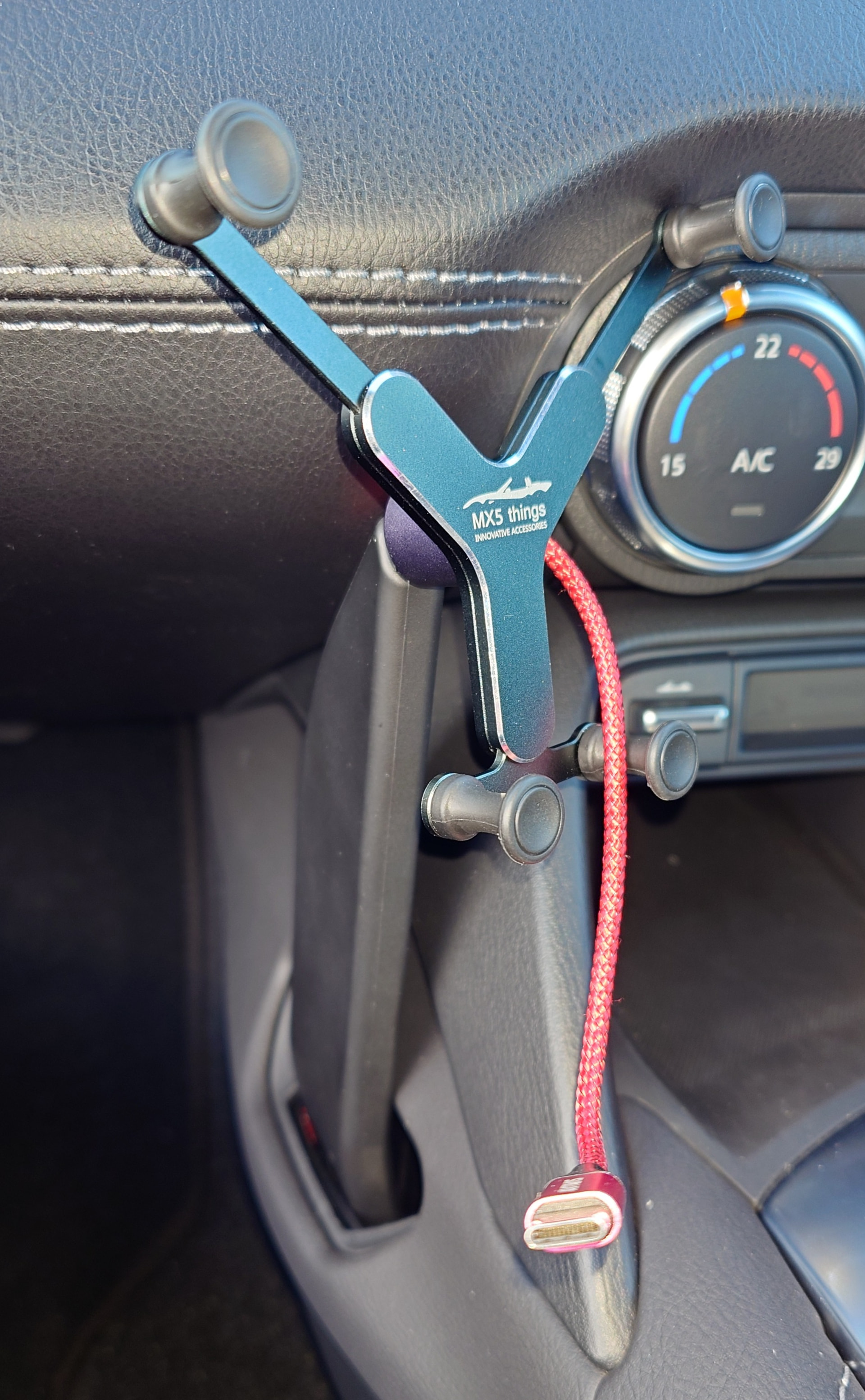
I use Waze on my phone in conjunction with carplay for navigation so I don’t need to look at my phone screen when driving, consequently, I don’t really need a phone mount that enables me to see the screen.
I tended to just place the phone in the space to the left of the centre console which was also handy for connecting a charging cable to one of the USB slots. Waze tends to drain the phone battery quite quickly so I like to keep it on the charger. Unfortunately, in hot weather (usually on European trips) the phone tends to overheat and the navigation app can get sketchy, not good especially in a busy city when trying to find our accommodation. I did find that the phone cools down if put in the small door recess but I don’t really want a charging cable running across my lap!
So, my question is, has anyone found a suitable place to store a phone whilst switched on and charging where it doesn’t overheat or slide about? I did think about popping it in one of the cup holders between the seats but we tend to remove them when touring to make room for a small storage bag for travel essentials.
I know the pain of suddenly not having your nav when on a big European tri. When my phone had overheated I’ve ended up putting it in the passsnger footwell on a longer cable. When it’s hot like that I tend to have the air con blasting into the footwells which helps.
Taking the case off your phone can help in the really hot days. I did this in the summer on the south of France. I didn’t have too many overheating issues but handing it to the passenger ceaseless to hold in front of the air con vent for a while did the trick.
Had that very same problem, luckily my wife could swap between phones to let one cool down and wave the hot one in front of an air vent. One thing is to not underestimate the power of the sun. Giving the phone some shade on those hot summer days did help a lot. But ultimately getting some airflow across the phone without its case seems to work the best. In my previous ‘other’ car I managed to mount a phone holder in front of an air vent and let the lovely cold air-con do its thing when things got too much.
I have mine in phone holder just to the right of the air vents. You’re correct, I don’t really need to see it, but it does keep it cooler, even though I’m charging it wirelessly there.
I put mine in the ‘glovebox’ between the seats, connected on a 6ft cable fed through the centre console into the glovebox, all very neat and discreet, no drilling needed.
Mine was hotwired and sat in this cradle that is designed to plug into the cup holder, phone drops in and is locked in place! There is a channel to ease the cable into at the back of the upright section!
When driving in Spain I used to cover the phone with a small towel to keep the sun off, the phone holder was screen mounted so the very small towel was just draped over the holder and phone. Not elegant, but it worked.
Do you use different roads all the time, or do you use a sat nav for routes you’ve traveled down 18000 times?
I ask that as so many people’s lives must be so different. I use a sat nav about once every few years, but loads of people seem to use them all the time, but not for work?
An interesting question. To quote my IAM observer/instructor, “no matter how many times you have driven a particular route, it is never the same twice”.
Waze gives real time alerts which have been logged by other drivers such as a broken down vehicle at the side of the road, potholes and mobile speed cameras. Forewarned is forearmed as someone once put it. I like that feature.
I use it all the time on unfamiliar roads and certainly when driving abroad.
I don’t know if I am unusual, but I rarely listen to music when driving. I do enjoy the occasional podcast however, especially on historical topics.
I run Waze on Apple CarPlay purely because it gives me a digital speed readout alongside the speed limit for the road I’m on. If I need Navigation, I tend to favour Google Maps.
Especially useful when driving in Europe. The KMPH markers on the inside of the speedometer are practically useless being so small. I’m a big fan of the speed limiter button so you can concentrate on the road and those around you without constantly squinting at the speedometer.
Yes, fair enough. I wonder if the shed loads of other people who have their navigation on all the time (as something they choose to, not just on by default) have the same reasoning.
I thought you had it to show you the way of like roads you’ve been on 10000 time before
Who wouldn’t want to be forewarned on speed camera and potholes etc. Sounds a good idea.
I generally don’t have navigation on (showing) on screen, just my tunes. Waze does chirp in with speed camera ahead or any incidents ahead, so that’s handy. The only reason I may put the navigation screen up to look at , apart from directing, is if I’m unsure of what the current speed limits are for unfamiliar roads, sometimes the signs are sparse.